
Into The Caves of Qud
Caves of Qud is one of my favourite games of all time. It seems complex and can be difficult to get into, but so much of the complexity comes from simple systems interacting, and once you understand those systems the rest comes together surprisingly easily, and you can take your time to enjoy the world. So let's get you going.
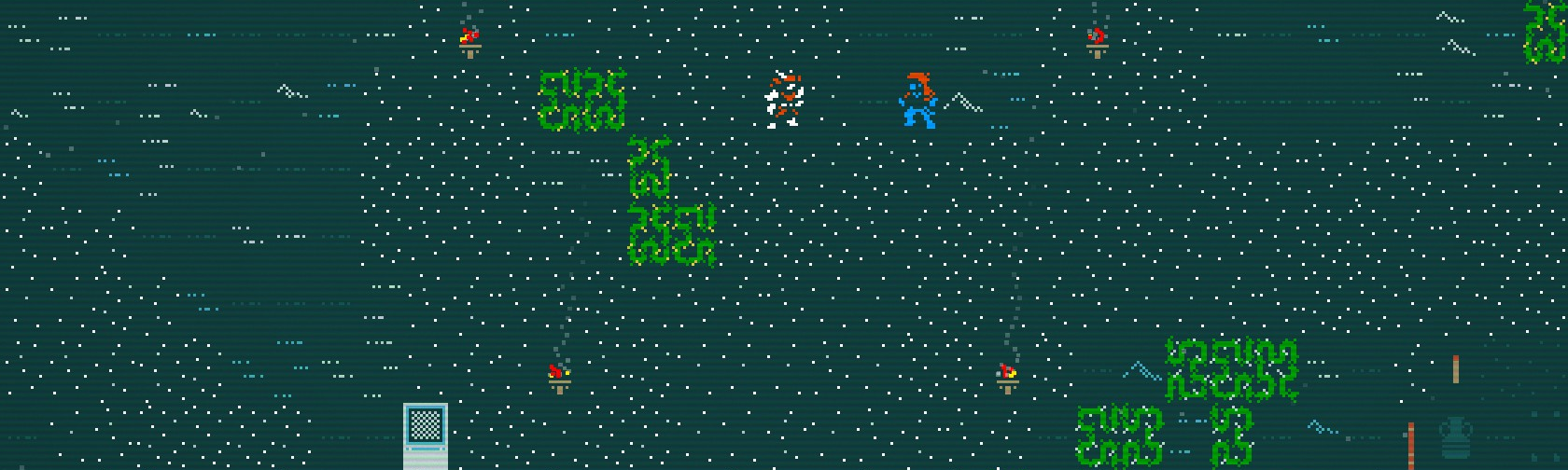
Caves of Qud does have an in-game tutorial and I do recommend it to get the basics of the interface and systems - this is intended more to bridge you into the rest of the game after that.
Click on any of the titles below to expand the section.
Even if you're not playing with gamepad, I still suggest skimming the first section to see why the controls aren't as complex as they look.
Qud has one of the best gamepad implementations I've ever seen, which is wild for a traditional roguelike. You can absolutely play with keyboard or mouse, but gamepad has become my preferred way to play and I think it makes the game more approachable.
This controls list may seem large but you really only need a few; just four buttons/keys will cover 90% of what you'll be doing in-game: Act/Attack, Wait/Rest, Autoexplore, and Use Ability.
Also, any button below with an asterisk* has an onscreen reminder, so you don't have to remember them, just give them a skim.
I have one suggestion for an alternate binding below, for B.RS: LOOK
Right Stick: lets you Look by moving a cursor. While looking, you can press A to get a list of whatever's on a tile, or B to stop looking.
LS: POINT
Left Stick: is used to indicate a direction.
Right Trigger: then moves you in that direction.
DPAD: NAVIGATE*
DPad is mainly used to navigate menus, but when you're not in a menu:
DPad Left and Right: Move left/right on the ability bar at the bottom of the screen.
DPad Down and Up: Automatically walk to the nearest stairs down/up, and once you get there, go down/up the stairs.
Other than looking and pointing, there are a few buttons that do a few basic actions, and [LT+button] is almost always an advanced version of that same action.
A: INTERACT
A: Interact with whatever's nearby (The game will pick intelligently, or ask you).
LT+A: Specify a direction to interact (Then hit A again to confirm).
B: WAIT
B: By default, is bound to "Wait A Turn". I recommend that you rebind B to "Rest Until Healed". It's one of the most useful actions you can do, and if you're already healed to full, it does the exact same thing as "Wait A Turn".
LT+B: Open the "Wait" menu to specify how long to wait.
Y: AUTOMOVE
Y: Autoexplore (Until you're done or there's danger).
LT+Y: Autowalk (It'll ask you to indicate an edge of zone to autowalk to).
LSB: Open list of nearby points of interest to autowalk to (merchants, NPCs, etc).
X: ABILITY*
X: Use currently-selected ability.
LT+X: Open the Ability List to use abilities.
RB: SHOOT*
RB: Aim ranged weapon, or fire (if already aiming).
LT+RB: Throw grenade (or whatever's in your throwing slot).
RSB: Reload ranged weapon (do this often).
START: MENU/TRADE*
Start: Usually opens your character sheet, but you can trade with anyone in the game by pressing this while talking to them.
Despite being a fairly traditional roguelike, Qud can be as hard or easy as you want, as smooth or gritty as you want: most of the difficulty comes from mechanics, but how you start still has a big effect on how you get on.
CHOOSING A DIFFICULTY
- Choose "Roleplay" If you want to see the story and vibe in the world, but still want some stakes to dungeon diving. Roleplay mode only saves when you enter/exit towns.
- Choose "Classic" if you don't mind permadeath and/or like rolling characters. Once a character dies, they're gone.
You can change modes any time. Whichever you choose, start in Joppa for your first few runs.
If you want that permadeath bite but also want to see the story unfold, choose Classic and "graduate" a character to Roleplay mode if they survive Golgotha. You'll know when that is.CHARACTER CREATION
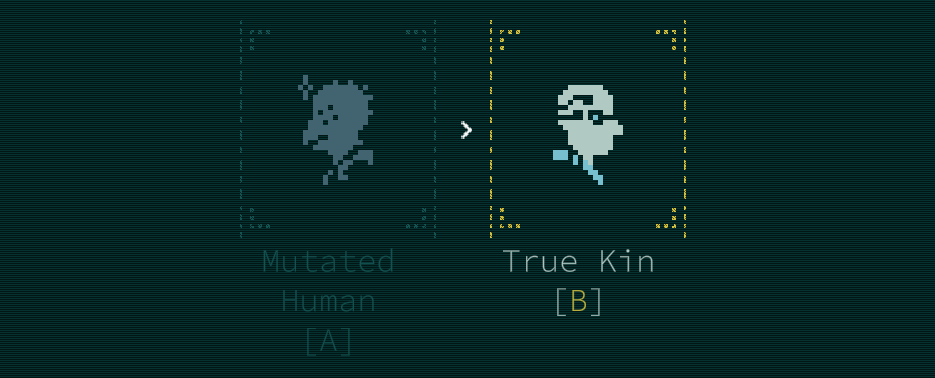
- Choose "True Kin" if you want an easier start but less customization. True Kin have better starting stats and skills, and can equip cyborg parts to unlock abilities/traits.
- Choose "Mutated Human" if you want more customization and power, and don't mind more chaos. Mutant abilities/traits are permanent and somewhat uncontrolled, but can be levelled up to absurd power levels.
STOP - THE GAME IS TURN-BASED
Stop and look at things, take time to inspect stuff.
You don't need to overthink every action, but at least take a second to read some of that good good text.MOVE - RUN FOR YOUR LIFE
Run away if your health bar changes colour, if it looks like you might get surrounded, or if you just don't like the vibe. You can't return to the World Map if danger is nearby.
Sprint is a default ability, use it often.HEAL - KEEP YOURSELF ALIVE
Hit "Rest Until Healed" whenever you're not in combat. Healing items are either bad, uncommon, or expensive; resting is free.
You'll still want a couple of each basic healing item, but they all have downsides:- Witchwood Bark can confuse you
- Bandages only heal bleeding
- Salve Injectors heal over time
SEARCH - EXPLORE EACH ZONE
Use Autoexplore to save you time walking around a map, or take your time and wander around and look at things.
Autoexplore stops you if there's any kind of threat.CAMP - LIGHT FIRES ON ARRIVAL
Whenever you arrive in a new zone after travelling, use the default Make Camp ability to light a campfire and eat. Campfires also make a handy light source. And if it says you can't camp because danger is nearby, well, now you know.
You can always eat a scratch meal for free at a campfire. Later, you can learn to cook fancier meals to give yourself temporary buffs.BURDEN - YOU CAN'T CARRY EVERYTHING
If you pick up everything, you'll get overburdened quickly, and be unable to move. "Take All" doesn't pick up corpses, but it picks up everything else. Prioritize lighter or more valuable things. After all, water is currency, and water is the heaviest thing you'll never be able to go without.
Unprepared food has weight, prepared food doesn't. With the Meal Preparation skill, you can prepare food at campfires.WANDER - YOU WILL GET LOST
"Lost" is a status effect you can get while traversing the world, that kicks you into a local area and prevents you from returning to the World Map. To get unlost, you'll need to traverse maps until you get your bearings, or find someone sapient to talk to.
There are cheap skills that help avoid being lost, but don't worry about investing much into them; getting lost isn't the worst thing.WEAPONS - PICK A LANE
Each melee and ranged weapon type has a skill tree, that requires different stats. Pick one melee and one ranged that matches your general build or playstyle, and focus your skill points on them. If you have to change weapon types later, it's not hard, and some skills work with multiple weapons.
- Short Blades: multiple hits, inflicting bleed.
- Long Blades: switchable stances, with stat bonuses.
- Axes: wide hits, inflicting wounds.
- Cudgels: heavy hits, inflicting stun.
- Shields: deflecting attacks, closing distances fast.
- Pistols: fast shots, dual-wielding.
- Rifle/Bow: slow shots, with active skills.
- Heavy: many shots, with stat penalties.
ABILITIES - USE YOUR TOOLKIT
Many mutations and cyborg parts come with active abilities you can use and passive abilities you can toggle. Each skill category in the skill tree always comes with a free skill, and many skills have associated abilities. Use them whenever you can, both in and out of combat.
If you want a bit of an easier start, get Meal Preparation and Harvestry, and experiment with cooking simple meals for buffs. If your stats allow it, get Acrobatics to avoid ranged attacks.
REPUTATION - LIVE AND DRINK
Legendary characters are scattered around Qud. You'll know them if their description has faction reputation lines, like "Hated by apes because they wrote a bad poem". Talk to any legendary and you can perform the water ritual to share water, which will gain/lose you reputation with factions who like/dislike them. During the ritual, you can also gain reputation by sharing gossip and secrets, or spend reputation to learn secrets, recipes and abilities.
You can check the faction scores in your character menu, which determine who is hostile to you. Everything sentient belongs to one or more factions. Even trees; don't piss off the trees. And never, ever, ever, kill someone you've shared water with.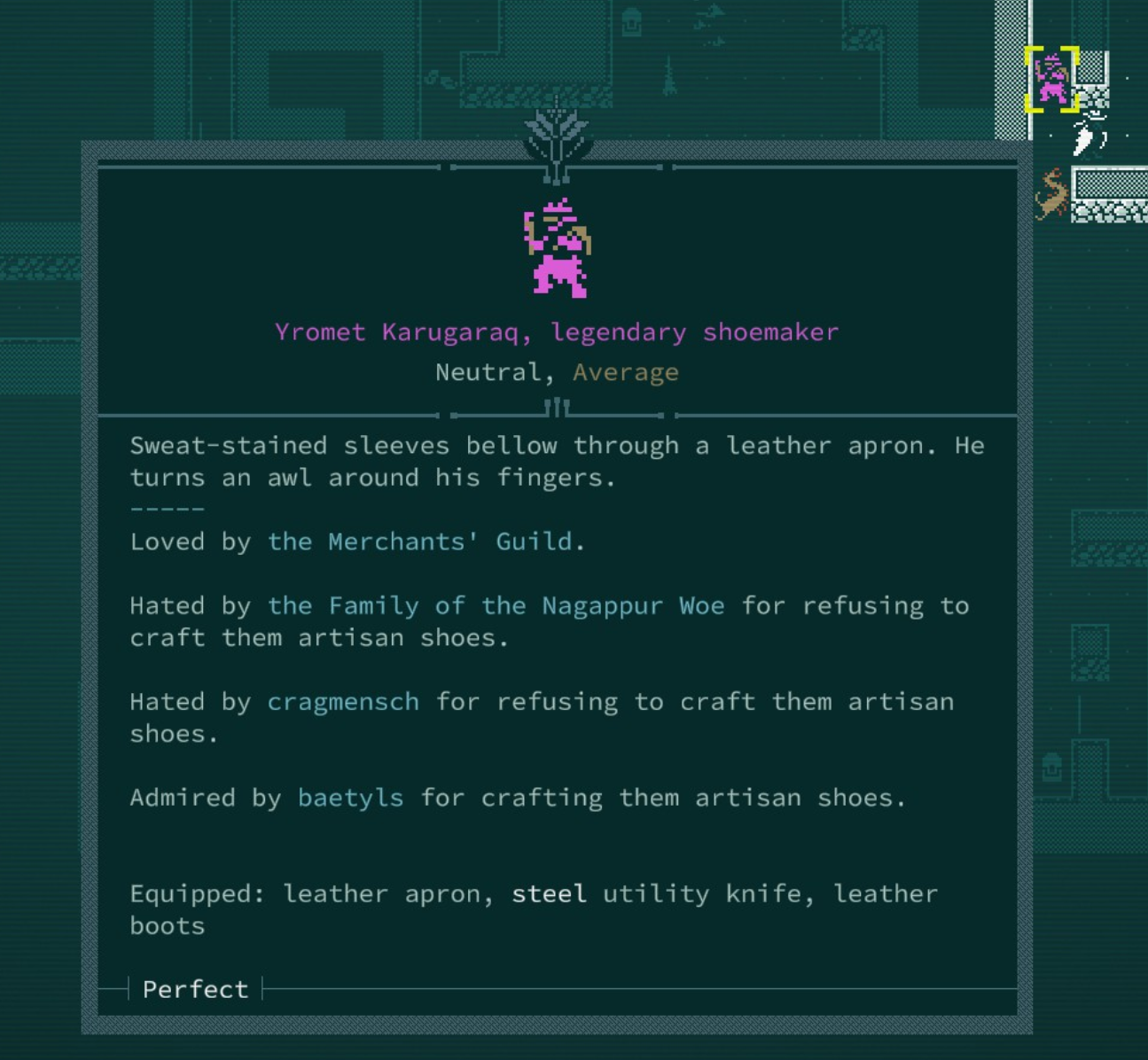
BEFORE RED ROCK
If you start in Joppa, you will get a quest to go to Red Rock. It's a bit of a trap (or maybe a test). Before you go to Red Rock, I suggest you try to find some or all of these:
- A few healing items (witchwood, bandages, salve)
- A ranged weapon and ammo (bow, musket, pistol)
- A light source (torches, glowsphere)
- Enough armour to have ~6 AV (Armour Value)
To find this stuff and to level up a bit, wander the marshes around Joppa, the red cliffs to the east, and the salt flats to the west. While you do, do some quests for Joppa's tinkerer Argyve to get some experience.
If you see a "salthopper" or a "slumberling", run like hell. If you don't, you'll quickly find out why.AFTER RED ROCK
Once you've survived Red Rock and/or have the hang of the basics, your next steps should maybe be to make a desert pilgrimage to the Six Day Stilt, and/or to seek the wisdom of the residents of Grit Gate.
What those mean is up to you to find out.A BIT MORE ADVICE
Here's a few scattered things to keep in mind.
- Actions take time. Sounds obvious, but every item you pick up off the floor takes a turn, and if you pick up ten things at once, ten turns will play out without your control.
- When inspecting a creature, under their name you can see their alignment to you and a rough readout of how difficult they'd be to fight. If it says 'Impossible', believe it.
- Inspecting painted or engraved objects is a great way to learn stories and rumours. Everyone loves to tell stories about the sultans, and some of them might even be true.
- Unidentified artifacts could be anything from a steel chair to a rocket launcher. If you don't have the skill to identify or fix something, inspect it while trading with a tinker and they can help you out, for a fee.
- There's a book out there somewhere with folk remedies for certain illnesses. Keep an eye out for a copy you can carry with you.
LOOKING EAST
You don't have to do anything specific in this game. You can follow the story and discover a broadening plot that's often compared to Morrowind... or you can just wander the world, sharing rumours, chasing artifacts, fighting Templars, trading recipes.
That freedom in itself can be intimidating, but if you want to enjoy Caves of Qud, just look for unique stuff out in the world and make your way there, the same way your character would. I can't say you'll have a good time, but you'll definitely have a time.
